
Project Overview
This case study is about my own website. I connected it to Claude, an AI assistant, through the Elementor MCP server and asked Claude to help me audit, fix and redesign the site. I set the goals, reviewed every change and approved each page before it went live.
The aim was simple: fix the on-page SEO and technical SEO issues on every page, make the site faster and keep everything working while doing it.
Project at a Glance
- Website: airishchristiantabay.pinoyseo.net (my personal SEO portfolio)
- Platform: WordPress, Astra theme and Elementor 4
- Tools used: Claude, Elementor MCP server, Google PageSpeed Insights and Yoast SEO
- Scope: 12 pages, including the homepage, About, Services, six service pages, Contact, Portfolio and a case study
- Timeline: October 2026
The Starting Point
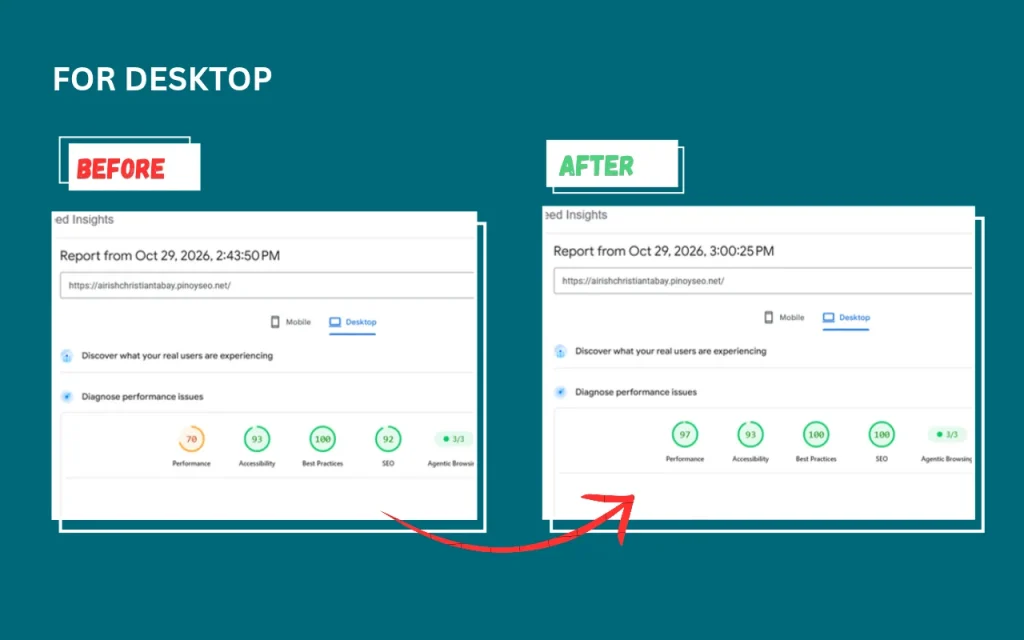
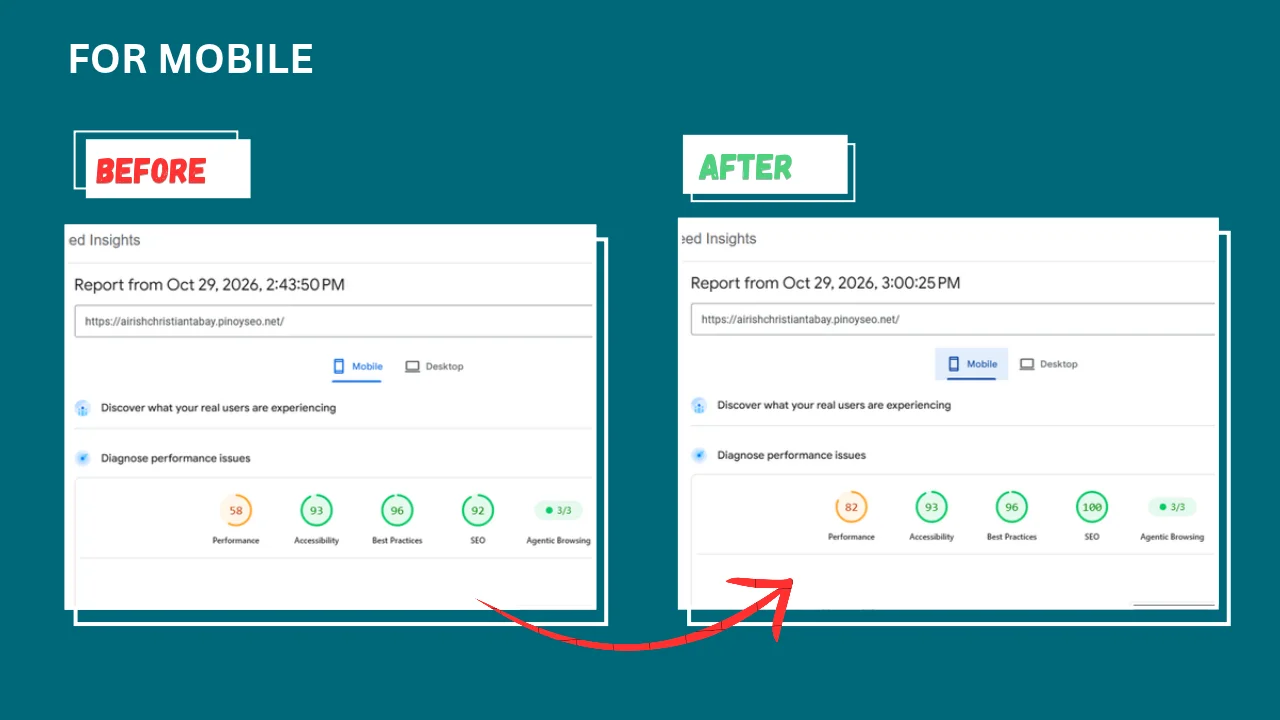
Before any changes, Google PageSpeed Insights scored the homepage 58 for performance on mobile and 70 on desktop. The SEO score was 92 on both. On mobile, the main content took almost 10 seconds to appear.
The pages also had common on-page problems: missing or duplicate H1 headings, generic “Learn more” links, weak meta descriptions, leftover placeholder text and service pages that didn’t link to each other.
How the Setup Worked
MCP (Model Context Protocol) is a standard way to give an AI assistant tools it can use. Elementor 4 includes an MCP server, so I connected my WordPress site to Claude with an application password. That let Claude read my pages and their structure directly.
It wasn’t plug-and-play. The Elementor MCP can only edit the new Atomic (V4) elements, and my site was built with classic Elementor widgets. So Claude switched approaches. It made the edits through the Elementor editor in a browser and through the WordPress REST API instead. That’s an important lesson: the tools are new, and they don’t always work the way the announcement suggests.
Every change was saved as a draft first. I checked each page and only then said “publish”.
What Was Done
1. On-Page SEO on Every Page
- One clear H1 per page and a logical H2/H3 structure
- Rewritten SEO titles and meta descriptions in Yoast SEO
- FAQ sections with FAQ schema on the key pages
- Internal links between related service pages
- Descriptive link text (“Explore Local SEO” instead of “Learn more”)
- Image alt text, and removal of leftover placeholder text
2. Page Speed Fixes
The speed work was done in two rounds, with a PageSpeed test after each one:
- Icons as inline SVG: removed the Font Awesome icon fonts, which took away four stylesheets and two font files
- Fonts hosted locally: fonts now load from my own server instead of Google Fonts
- Smaller logo: the header logo went from 219 KB to 13 KB
- No hero fade-in: the hero text now appears immediately instead of waiting for an animation script
- Booking plugin only where needed: a small code snippet loads the LatePoint booking files only on pages that have a booking button
- Reserved image space: the tool logos have fixed dimensions, so the layout doesn’t jump while they load
3. A New Design with Light and Dark Mode
After the SEO and speed work, Claude helped build a new design with a light/dark theme toggle. It was kept visible only to me while I reviewed it, so visitors saw nothing until launch. All existing content and SEO titles were kept, and I documented the steps to roll back if anything went wrong.
Results
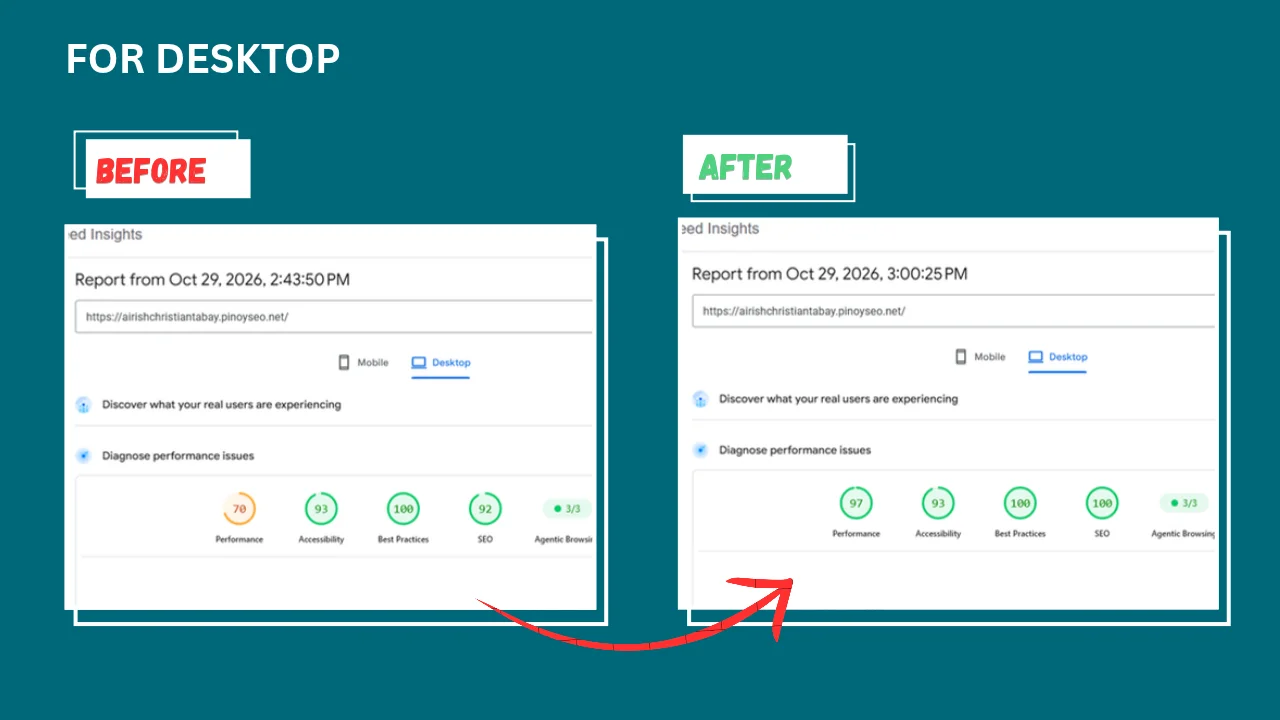
Homepage PageSpeed Insights results, tested on October 29, 2026, before and after the speed fixes:
| Metric | Mobile | Desktop |
|---|---|---|
| Performance score | 58 → 82 | 70 → 97 |
| SEO score | 92 → 100 | 92 → 100 |
| Main content shown (LCP) | 9.9 s → 2.9 s | 2.0 s → 0.7 s |
| First text shown (FCP) | 4.1 s → 2.4 s | 1.0 s → 0.6 s |
PageSpeed scores change a little from test to test, and the new design added its own fonts and styles. After the redesign launched, the homepage still scored around 80 on mobile and 92 on desktop, well above where it started.
Key Learnings
- AI is fast at the tedious work. Audits, checking every page and retesting after each change took minutes instead of hours.
- Human review still matters. I approved every publish, and the review process caught things I had missed, like placeholder text that was still live.
- Test before and after. Running PageSpeed after each round showed what actually helped and what didn’t.
- Always have a way back. Drafts, a backup of the old homepage and written rollback steps made every change safe to try.
Want a Faster, Better-Optimized Website?
I can run the same kind of audit on your website: on-page SEO, technical issues and page speed, with clear before-and-after results. See more case studies or get in touch for a free consultation.